Home
/ Wi-Fi & Home
/ Best mesh Wi-Fi systems with Ethernet backhaul (2026)
Buying guide · Mesh Wi-Fi
Best mesh Wi-Fi systems with Ethernet backhaul (2026)
If your house already has cable between rooms, or you are willing to run some, a mesh system that backhauls over Ethernet beats any wireless mesh. These four use multi-gig ports so the cable is not the bottleneck.
Affiliate disclosure — Networking Room participates in the Amazon Services LLC Associates Program and earns from qualifying purchases. Nothing on this page is placed or paid for by a manufacturer.
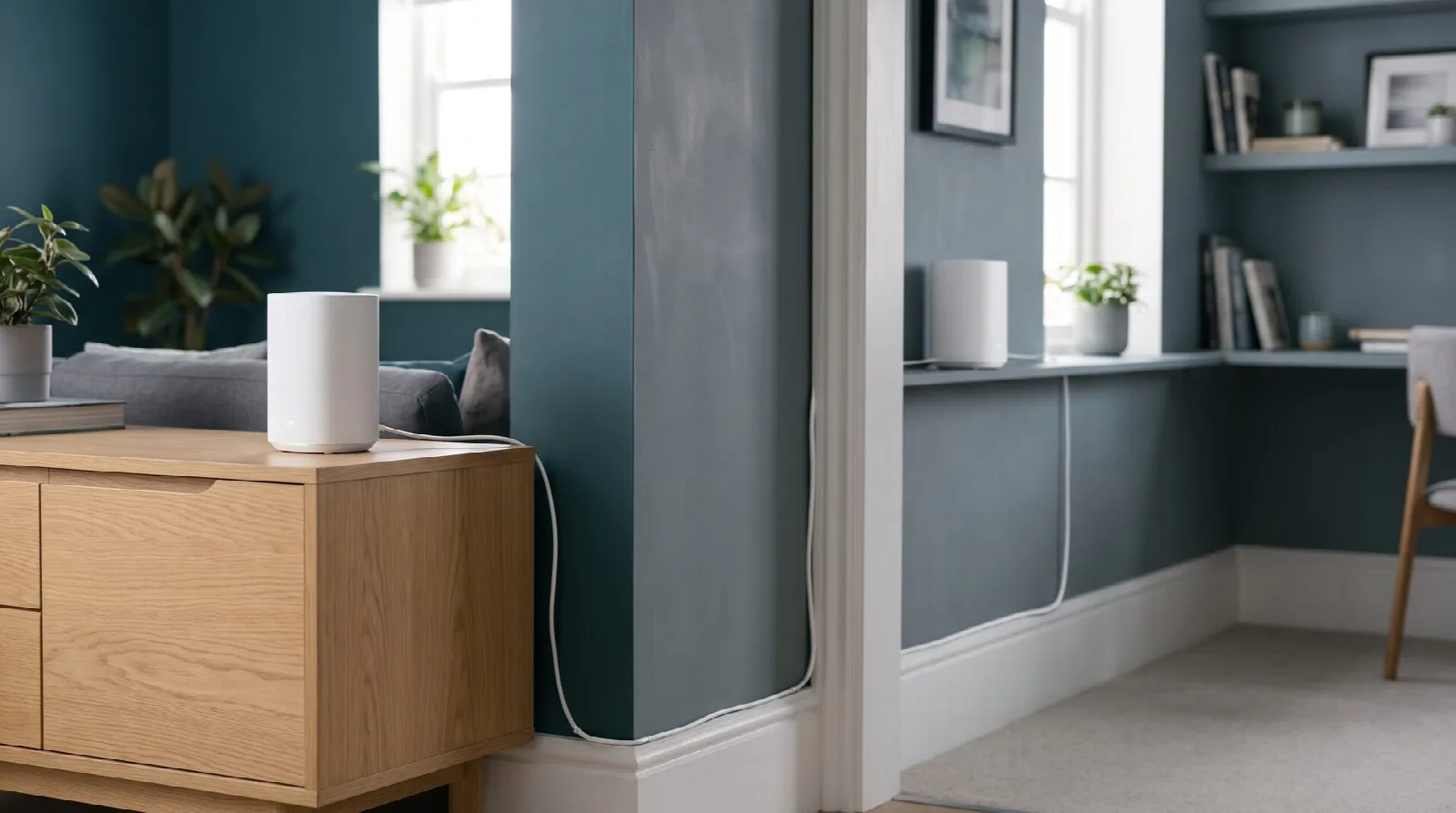
Illustration: two white mesh Wi-Fi units in neighbouring rooms joined by an Ethernet cable along the skirting board
Best overall
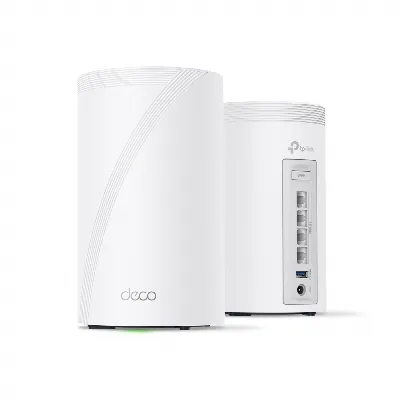
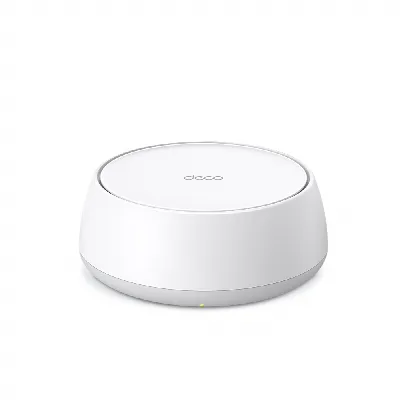
TP-Link Deco BE63 (Deco 7 Pro)
Four 2.5 Gbps ports on every unit, so a satellite can take the backhaul cable and still feed three wired devices. Tri-band Wi-Fi 7 with 6 GHz.
Fastest ports
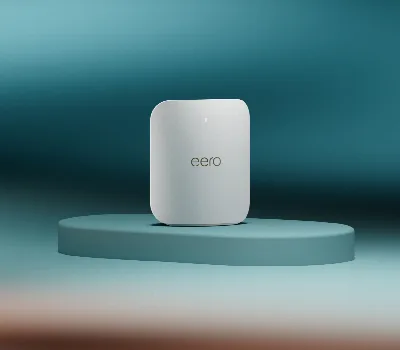
Amazon eero Pro 7
Two 5 Gbps ports per unit, the most headroom here for a wired backhaul. The simplest app, but only one port is left free on a wired satellite.
Most control
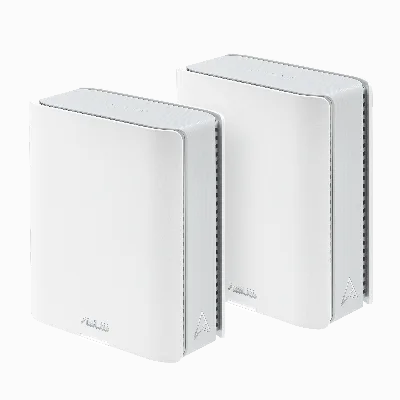
ASUS ZenWiFi BT8
Full web interface, AiMesh and security tools with no subscription. Mixed ports: two at 2.5 Gbps, two at 1 Gbps, plus USB.
Budget pick
TP-Link Deco BE25 (Deco 7)
Dual-band only, no 6 GHz, but with the backhaul on a cable that matters less. Two 2.5 Gbps ports per unit and daisy-chain support.
Why wired backhaul changes the choice
In a wireless mesh, each satellite spends part of its radio time talking to the main router, and the link weakens with every wall in between. Put a cable between the units and that problem goes away: the satellite gets a clean, full-speed path back to the router and all of its radio time goes to your phones and laptops.
That shifts what matters. A dedicated wireless backhaul band, the main selling point of many tri-band kits, matters less. The speed and number of Ethernet ports matter more, because one port on every satellite is now taken by the backhaul cable.
How we chose
Multi-gig ports.
Every pick has at least 2.5 Gbps on the port that carries the backhaul, so a fibre plan above 1 Gbps can reach the far rooms.
Free ports after the backhaul.
We counted what is left on a satellite once the uplink cable is plugged in, since that is where a TV, console or PC gets wired.
Documented wired backhaul.
The maker or at least one named reviewer confirms that Ethernet backhaul is supported and how it behaves.
What costs extra.
Some systems keep parental controls or security filtering behind a subscription. We say which.
01
Best overall
TP-Link Deco BE63 (Deco 7 Pro)
TP-Link now sells the BE63 as the Deco 7 Pro. Each unit has four 2.5 Gbps ports (one doubles as WAN on the main unit) and a USB 3.0 port, which is the most generous port count in this group: a wired satellite still has three multi-gig ports for devices. It is tri-band, with 6 GHz and 320 MHz channels, and TP-Link lists Flexible Backhaul, meaning units can link by cable, by radio or both. Tom's Hardware gave it an Editor's Choice and singled out its 5 GHz and 6 GHz results; Tom's Guide also confirms wired backhaul support. The trade-off: setup and most settings live in the Deco app, the web interface is thin, and both reviews found the 2.4 GHz band weaker than rivals. Basic HomeShield security is free; the fuller tiers are paid.
The eero Pro 7 has two auto-sensing 5 Gbps Ethernet ports per unit, either of which can be the WAN, so a backhaul cable will not cap a multi-gig plan the way a 2.5 Gbps port can. eero's own support pages confirm that eeros can be connected to each other by Ethernet. It is tri-band Wi-Fi 7 with 6 GHz and Multi-Link Operation. Tom's Guide rated it Recommended and praised its setup and reliability; Engadget scored it 79 and liked the hardware. The trade-offs are real: with only two ports, a wired satellite has one port left, so plan on a small switch where you need more. There is no USB data port, and parental controls, ad blocking and security filtering sit behind the eero Plus subscription, which Engadget criticised sharply.
For people who want a full web interface rather than an app, the BT8 runs AsusWRT with AiMesh, and its security and parental tools come without a subscription. ASUS lists a 2.5 Gbps WAN, a 2.5 Gbps LAN, two 1 Gbps LAN ports and a USB 3.0 port on each unit. Tom's Hardware confirms that the 2.5 Gbps LAN port can carry wired backhaul and praised the settings depth; Dong Knows Tech scored it 8.3 out of 10. The one trade-off to know: only one multi-gig port is left once the uplink is connected, so on a satellite the backhaul uses a 2.5 Gbps port and your devices share the rest, two of which are gigabit. Dong Knows Tech also reported early firmware bugs and slow USB storage, so update the firmware on day one and do not treat the USB port as a NAS.
The BE25, now sold as the Deco 7, is dual-band: 2.4 GHz and 5 GHz, no 6 GHz and no 320 MHz channels. In a wireless mesh that would be a real limit. With the backhaul on a cable it matters far less, which is why Dong Knows Tech recommends it mainly for wired setups and found wired satellites performed best. Each unit has two 2.5 Gbps ports and supports backhaul over cable, radio or both, and units can be daisy-chained without a switch. PC Gamer scored it 80 and called it easy to set up. The trade-off: with one port used for the uplink and, on a daisy chain, one for the next unit, there may be no free port for a device. There is no USB, management is app-only, and advanced parental controls are paid.
Manufacturer specifications per unit, as listed on each product page in November 2026
Spec
Deco BE63
eero Pro 7
ZenWiFi BT8
Deco BE25
Wi-Fi bands
2.4 / 5 / 6 GHz
2.4 / 5 / 6 GHz
2.4 / 5 / 6 GHz
2.4 / 5 GHz
Ethernet ports
4 × 2.5 Gbps
2 × 5 Gbps
2 × 2.5 Gbps + 2 × 1 Gbps
2 × 2.5 Gbps
Fastest backhaul port
2.5 Gbps
5 Gbps
2.5 Gbps
2.5 Gbps
Free ports on a wired satellite
3
1
3 (1 multi-gig)
1
USB
USB 3.0
None
USB 3.0
None
Management
App
App
Web and app
App
Paid tier for extras
Yes
Yes
No
Yes
Before you buy
Check the cable.
2.5 Gbps and 5 Gbps Ethernet were designed to run over Cat5e and Cat6 at normal home lengths, but old, damaged or badly terminated cable can drop a link to 1 Gbps or 100 Mbps. Most mesh apps show the negotiated speed, so look after setup.
Check anything in the middle.
If the cable passes through a gigabit switch, the backhaul is capped at 1 Gbps however fast the mesh ports are. Use a 2.5 Gbps switch, or run a cable straight from the main unit.
Decide where the ISP router goes.
If your provider's router stays in place, put it in bridge mode or run the mesh in access-point mode, so you do not end up with two routers doing NAT.
Count ports per room.
A wired satellite gives up one port to the uplink. If a room has a TV, a console and a PC, either pick the Deco BE63 or budget for a small switch.
Stay with one brand.
Mesh units only mesh with their own family. Mixing an eero with a Deco gives you two separate networks.
Do I need a switch for Ethernet backhaul?
Not always. With one satellite you can cable it straight to a LAN port on the main unit. With several satellites, either use a switch or, where the system supports it, daisy-chain the units. Dong Knows Tech confirms the Deco BE25 can daisy-chain; check the manual for other models.
Can some units be wired and others wireless?
Yes. All four systems here can mix wired and wireless satellites in one network. Wire the satellites furthest from the router first, where a radio link would be weakest.
Is a dual-band mesh good enough with wired backhaul?
Often, yes. A dedicated wireless backhaul band is what tri-band kits mainly add, and a cable replaces it. You still lose the 6 GHz band for your devices, which matters if you own recent Wi-Fi 6E or Wi-Fi 7 phones and laptops.
Will a 1 Gbps backhaul hold back my internet?
Only if your plan is faster than about 1 Gbps or you move large files between rooms. On a plan at or below 1 Gbps a gigabit backhaul is rarely the limit.
Sources
Specifications and findings above come from these pages, read on 27 November 2026. Specifications change between revisions, so check the product page before you buy.
Runs network operations for a licensed fibre ISP in Khulna, Bangladesh (AS137403) — GPON access, MikroTik edge, BGP upstream. Every review here is tested against that network rather than a lab loop.